How to do it
Send the link as usual
Share the project as usual (see Send the link to your client): in My projects, under the project name, you'll see Link not opened yet.
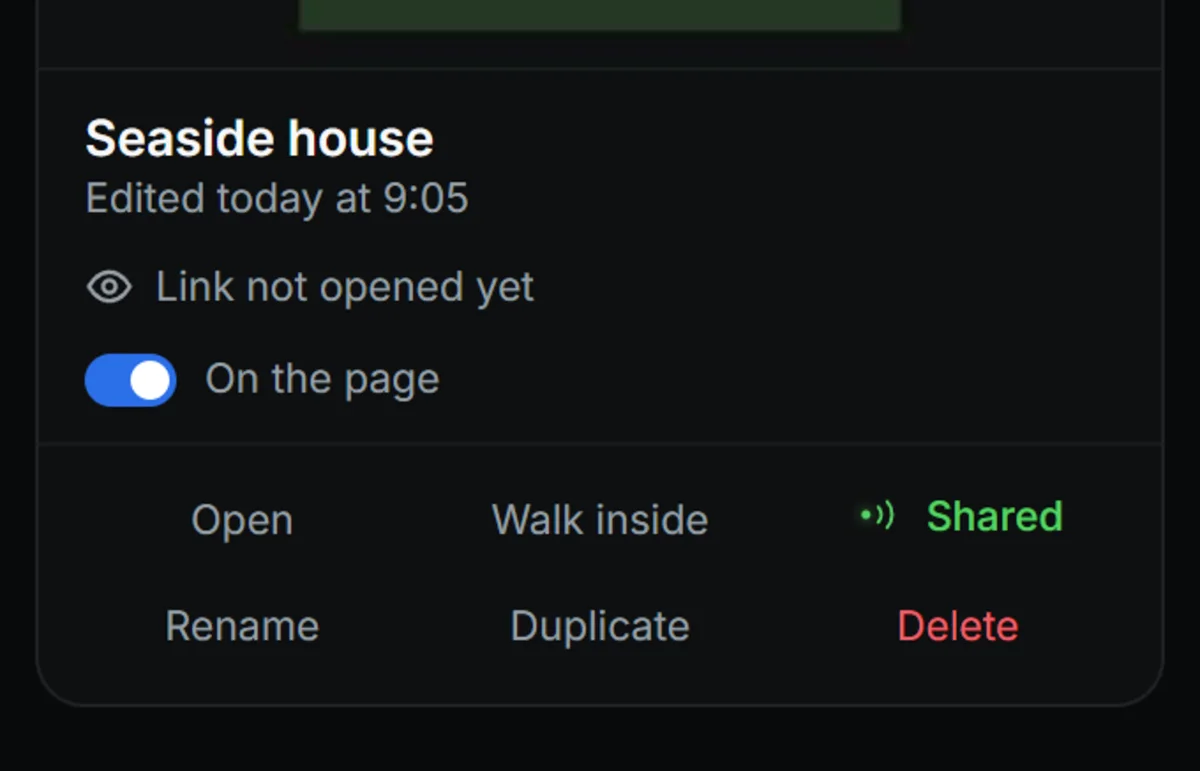
Read the line under the project name
When your client opens the link, the line shows it the next time you open My projects: how many times and when, for example Opened 5 times · last today at 21:14.
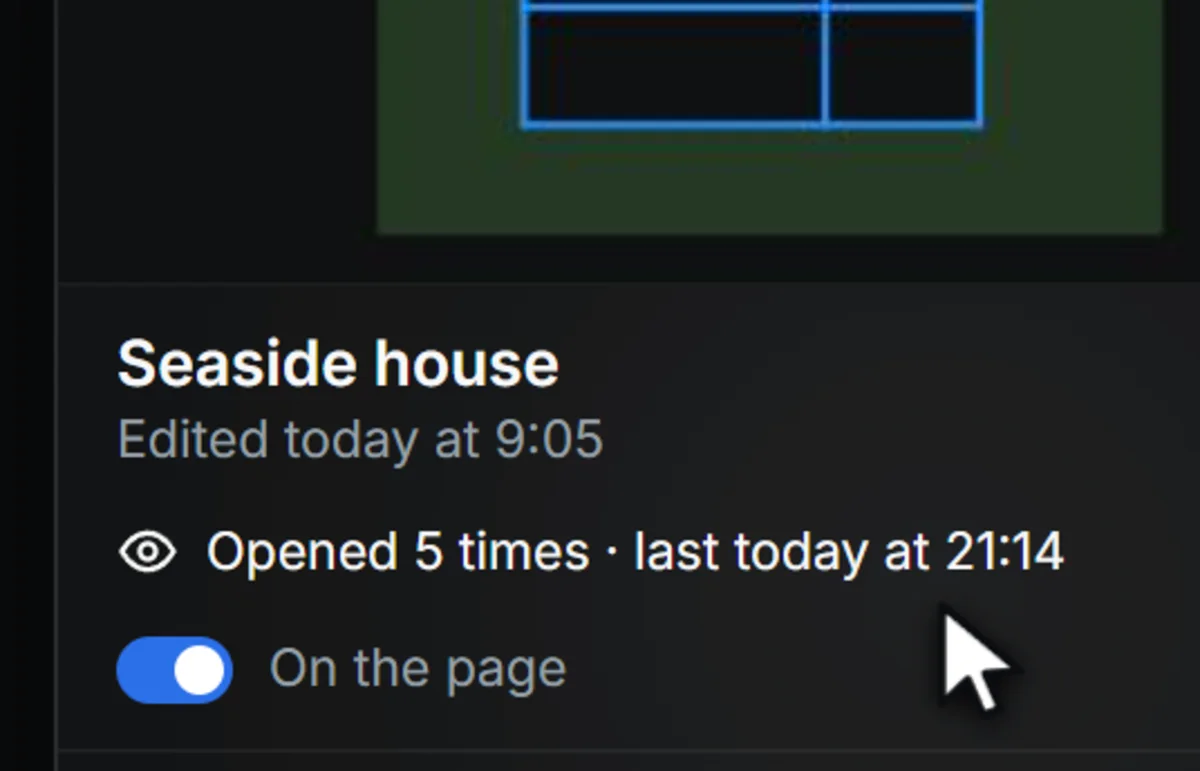
Click it and look at the numbers
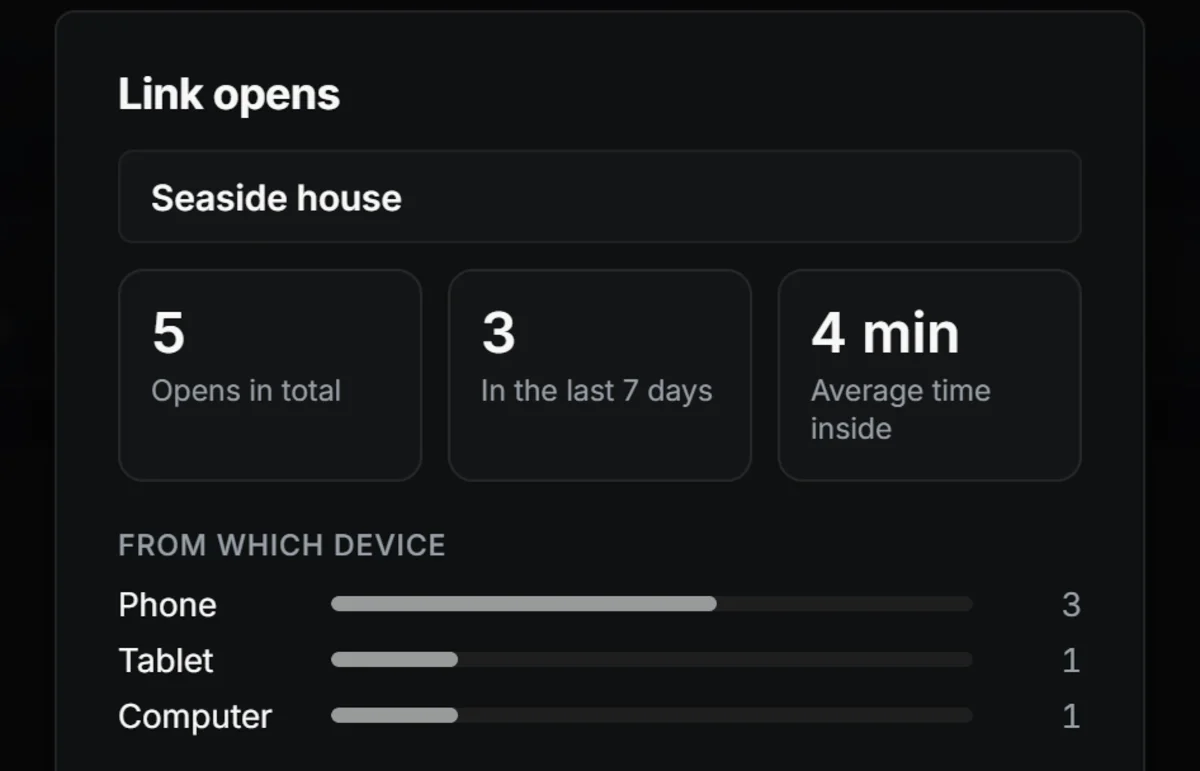
Click the line: the Link opens window appears, with Opens in total, In the last 7 days, Average time inside and, as bars, From which device.
Look at the latest opens
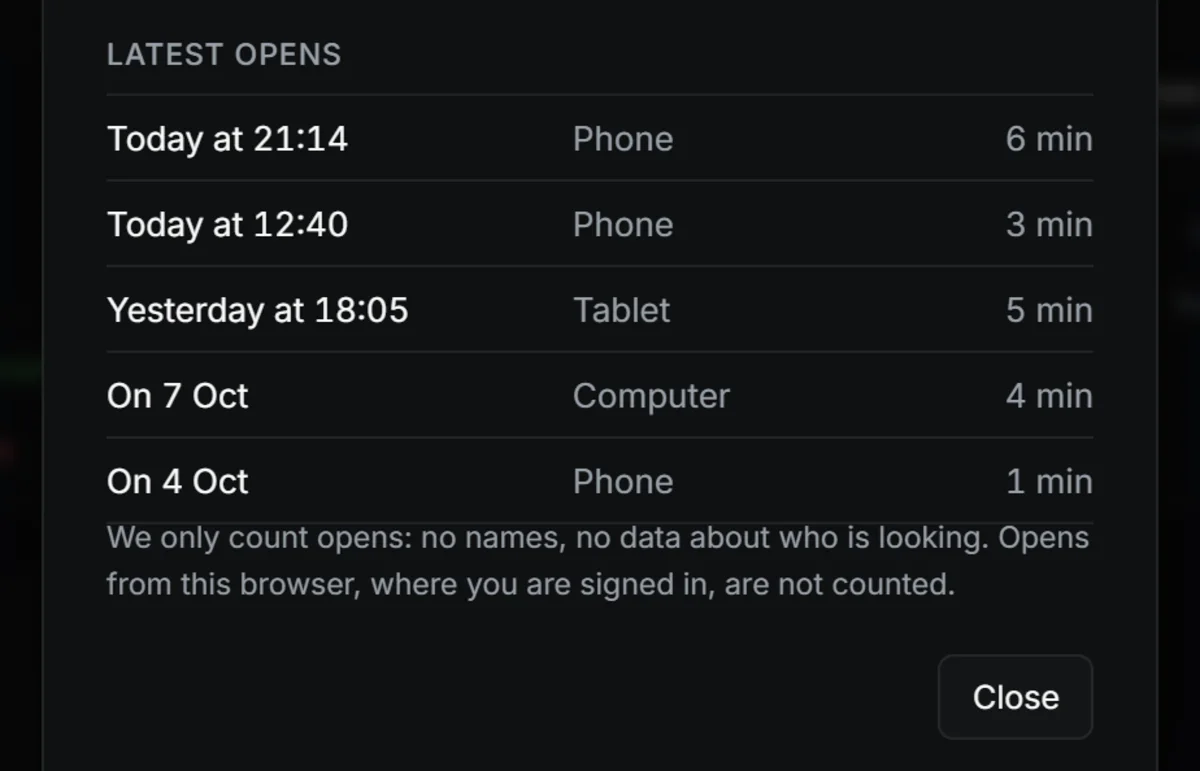
Further down, Latest opens shows when each one happened, on which device and how long your client stayed.
What you learned
- Seeing, right under the project name, how many times the link was opened.
- Clicking the line to see the average time, devices and latest opens.
- Knowing that only opens are counted, never people.
Good to know
- Numbers only: when, from which device and for how long, never who opened it. Your client doesn't sign up and only sees the virtual house tour, never these numbers.
- Your own link opens don't count: in a browser where you've opened My projects, the link opens without being counted. From another phone or browser they do count: to see the number go up, open it on a colleague's phone.
- Your website counts too: opens of the home you added with Put it on your website are added here to the link's opens. On your website, your own views count too.